

Table of Contents
ToggleA smart door lock transforms how homeowners manage entry to their homes, no more fumbling for keys, no more rekeying after a move, and no more wondering if you locked the door. The Eufy Smart Door Lock brings these conveniences to life with secure keyless access, real-time notifications, and seamless integration into existing smart home ecosystems. Whether you’re building a connected home or upgrading a single entry point, understanding the Eufy lock’s capabilities, installation requirements, and actual value helps you make an well-informed choice. This guide walks you through everything a homeowner needs to know, from features to setup to whether it’s worth the investment for your home.
Key Takeaways
- The Eufy Smart Door Lock eliminates lost keys and forgotten locks by offering smartphone control, numeric keypads, biometric scanning, and remote access with real-time entry notifications.
- Installation requires verifying door compatibility (¾-inch to 1⅛-inch thickness with standard 1⅜-inch deadbolt holes) and careful alignment of interior and exterior components to ensure smooth operation.
- The Eufy lock prioritizes privacy by processing data locally rather than routing everything through cloud servers, with battery backup lasting 6–12 months on four to nine AA batteries.
- Pricing ranges from $100 to $250, with additional costs for retrofit kits ($10–$30) or a HomeBase device ($40–$60) for Wi-Fi and HomeKit support, making the total value clear for homeowners dealing with key management issues.
- Integration with Alexa, Google Assistant, and HomeKit enables voice control, while temporary access codes and guest unlocks support contractors and visitors without creating permanent security risks.
What Is the Eufy Smart Door Lock and Why It Matters
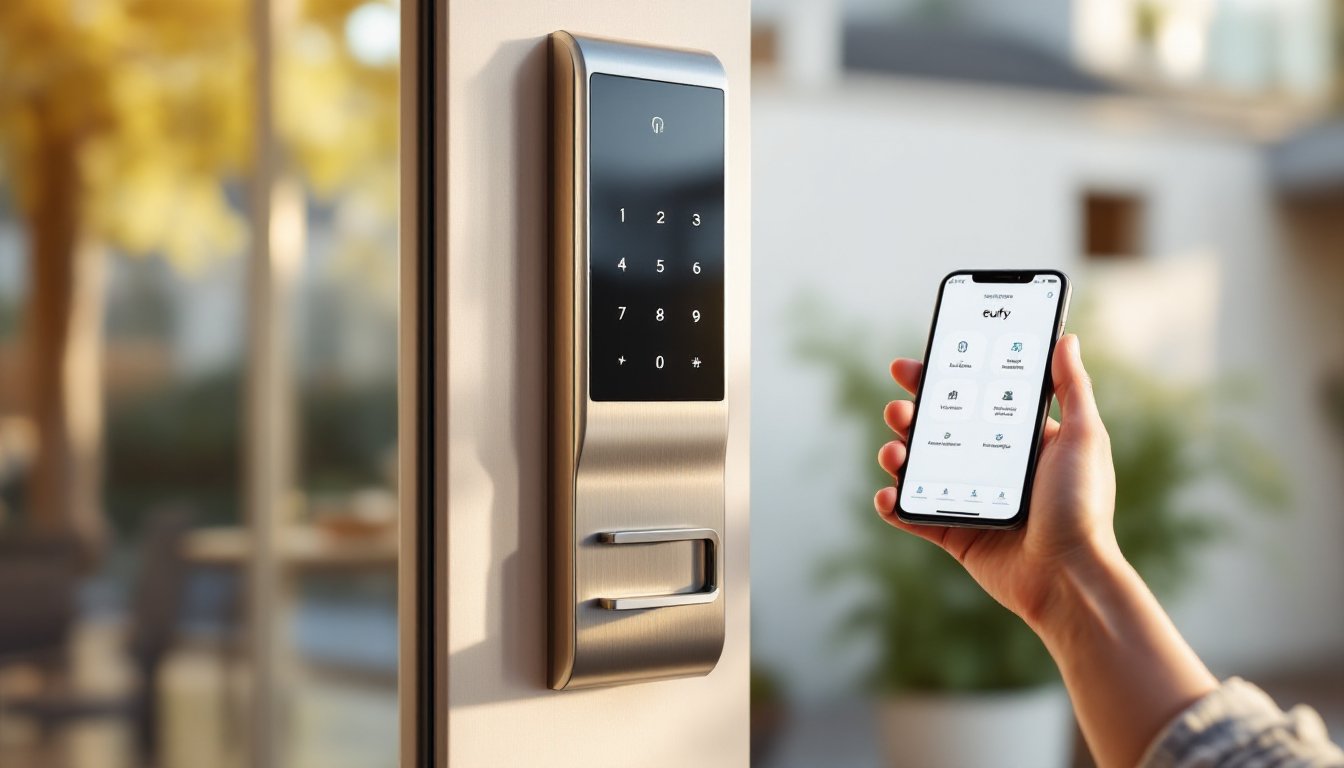
A smart door lock is essentially a motorized deadbolt controlled via smartphone app, physical code, fingerprint, or traditional key. The Eufy Smart Door Lock replaces your existing deadbolt entirely, letting you lock and unlock your door remotely, grant temporary access codes to guests or service people, and track who enters and when.
For homeowners, the appeal is real. You don’t need to worry about lost keys, change locks when a contractor leaves, or feel anxious that you forgot to lock the front door. Renters and sellers also benefit: smart locks add a modern security layer without the permanence of rekeying or installing a new deadbolt system.
Eufy, owned by Anker, focuses on reliability and privacy, their devices process much of the data locally rather than routing everything through cloud servers. That’s a meaningful detail if you care about how your access data is stored and who can theoretically access it. The Eufy Smart Door Lock works with both iPhone and Android, supports common smart home platforms, and doesn’t require a separate hub for basic operation, though some advanced features do benefit from one.
Key Features and Smart Home Integration
Security and Access Control
The Eufy Smart Door Lock offers multiple ways to unlock your door: a smartphone app, a numeric keypad, biometric fingerprint scanning (on some models), a backup mechanical key, and remote unlock via Bluetooth or Wi-Fi. This redundancy is crucial, if your phone dies, you can still enter using a code or key.
Access logs show you exactly who unlocked the door and when. You can set temporary codes for guests or contractors that expire automatically, create schedules (like allowing cleaning service access only on Thursdays between 10 a.m. and 2 p.m.), and receive instant notifications when the door is unlocked. The lock also supports a “Guest Unlock” feature where you temporarily share access to someone without creating a permanent code.
Battery backup is standard: four AA batteries (or nine AA batteries on newer models) power the lock for around 6–12 months under typical use. A low-battery alert warns you before the lock fails. This is important, unlike a traditional bolt, a dead battery can leave you locked out if you don’t have a backup key.
Connectivity and App Management
The Eufy app is straightforward and doesn’t require a separate login from your Anker account, which simplifies setup. You can control the lock locally via Bluetooth (faster, doesn’t require Wi-Fi) or remotely through the cloud if you link your HomeBase or use a compatible hub. The lock integrates with Amazon Alexa, Google Assistant, and Apple HomeKit (on certain Eufy models), so you can lock the door via voice command, a small convenience that becomes genuinely useful when your hands are full.
Push notifications let you know when the door is locked, unlocked, jammed, or repeatedly failed to unlock (a sign of forced entry attempts). You can share access directly through the app without creating a separate account for guests. Recent independent reviews of smart locks comparison highlight Eufy’s strengths in battery life and app responsiveness compared to some competitors.
Installation and Setup Process
Installation is the part that separates smart locks from most smart home devices. You’re not just plugging something in, you’re replacing a deadbolt, and a poor installation can compromise your security.
Start by checking that your door is compatible. The Eufy lock works on standard ¾-inch to 1⅛-inch thick doors with a typical deadbolt hole (1⅜ inches in diameter). If your door is unusually thick, metal, or has a non-standard deadbolt setup, you may need a professional installer or a retrofit kit.
Here’s the installation process: First, remove the existing deadbolt (both interior and exterior handles). You’ll need a Phillips screwdriver and possibly a drill if the bolts are stuck. Take a photo of your lock assembly before removing it, this helps if you need to reverse the installation.
Install the Eufy bracket and interior assembly into the door hole, then slide the motorized exterior unit onto the bracket and screw it tight. This is where precision matters: if the exterior and interior pieces aren’t perfectly aligned, the lock won’t operate smoothly. Don’t overtighten the screws: you can crack the plastic housing.
Insert the four or nine AA batteries into the interior battery compartment and test the manual keypad before fully closing up the door frame. Open and close the lock a few times to ensure smooth operation. Only then should you reassemble your interior strike plate.
For the app setup, pair the lock via Bluetooth, enter your Wi-Fi credentials (the lock itself doesn’t have Wi-Fi: it connects through your phone’s Bluetooth and then to your home network), and set your default access codes and fingerprints. Backup keys should be stored securely, a home safe or with a trusted neighbor, not under the doormat.
If your door has a keyhole on the inside (like an apartment building lock), installation may not be possible. This is also true for doors with deadbolts that don’t follow standard American specifications. Call Eufy support if you’re unsure: a wrong purchase is more expensive than 10 minutes of verification. Many smart lock failures in reviews aren’t manufacturing defects, they’re incompatible door setups that the buyer didn’t check beforehand.
Pricing, Warranty, and Value for Homeowners
Eufy Smart Door Lock models range from roughly $100 to $250 depending on features. The base model includes app control, numeric keypad, and local Bluetooth connectivity. Premium versions add biometric fingerprint scanning, Wi-Fi connectivity, remote access via Eufy’s cloud, and integration with HomeBase devices.
Most Eufy locks come with a two-year limited warranty covering manufacturing defects. This is standard for the category and doesn’t cover normal wear, water damage, or installation-related issues. Warranty terms vary slightly by region and seller, so check the documentation.
Cost-benefit analysis depends on your situation. If you’re building a smart home ecosystem, the Eufy lock’s moderate price and local-first approach make it a sensible choice. If you’re a renter, a portable smart lock might make more sense than permanently replacing a deadbolt. For homeowners who’ve lost keys, forgotten to lock the door, or dealt with contractor access in the past, the convenience and audit trail often justify the upfront cost within a year or two.
The Eufy Security Smart Lock Pro detailed review breaks down performance metrics and real-world user experience if you want deeper technical analysis. Factor in that you may need retrofit kits ($10–$30) if your door’s deadbolt hole doesn’t line up perfectly with the Eufy hardware. Add a HomeBase device ($40–$60) if you want remote access and HomeKit support, which expands the total investment but unlocks more functionality.
Conclusion
The Eufy Smart Door Lock is a practical upgrade that adds security, convenience, and peace of mind to any home. Installation is straightforward for standard doors, app control is intuitive, and the hardware balances price with reliability. Verify door compatibility before purchase, plan for battery replacements every 6–12 months, and weigh whether you need Wi-Fi remote access or if local Bluetooth control is enough for your needs. For homeowners ready to embrace smart home technology, Eufy delivers real value without overcomplicating the fundamentals.


